
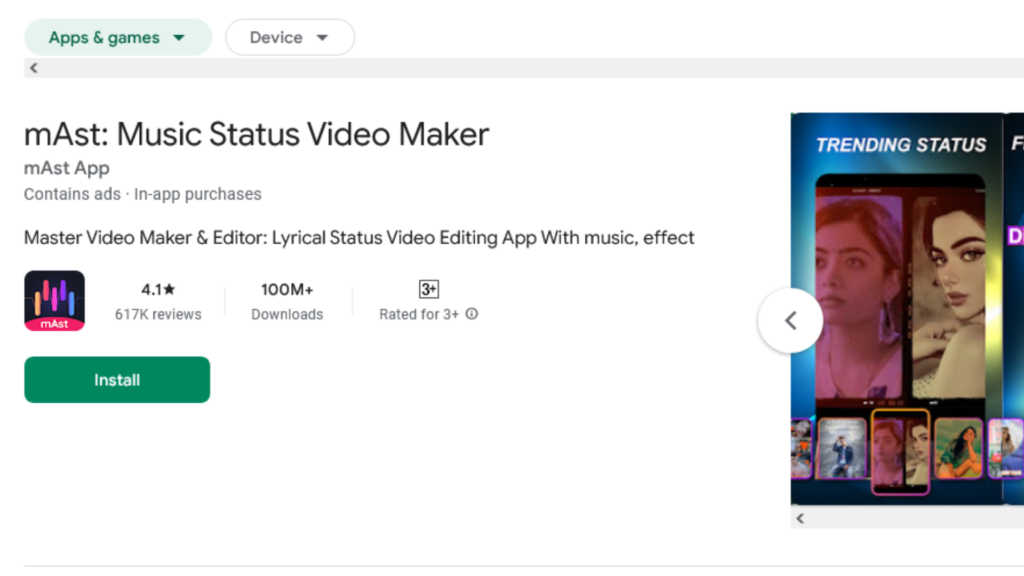
Mast App : In today’s digital age, where visual content reigns supreme, having access to a versatile and user-friendly editing tool can make all the difference. Enter Mast App, a revolutionary platform that empowers users to create stunning videos and photos effortlessly. In this article, we’ll delve into the features and functionalities of Mast App, exploring how it can transform your editing experience in a matter of minutes.
What is Mast App?
Mast App is a comprehensive video and photo editing application designed to cater to the needs of both amateurs and professionals alike. With its intuitive interface and powerful editing tools, users can seamlessly enhance their visuals and unleash their creativity. Whether you’re looking to add trendy effects to your videos or spruce up your photos with captivating filters, Mast App has you covered.
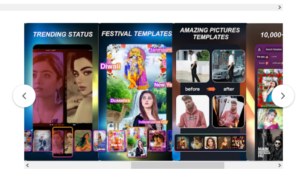
Key Features of Mast App
1. Diverse Templates
Mast App offers a wide range of templates, making it easy for users to create masterful video statuses, anniversary photo collages, magical video compilations, and festive video montages. With just a few clicks, you can transform your ordinary photos and videos into captivating masterpieces that are sure to impress.
2. Multi-language Song Library
One of the standout features of Mast App is its extensive library of multi-language songs. Whether you prefer Hindi, Punjabi, Tamil, Kannada, Bengali, or any other regional language, you’ll find a diverse selection of trending songs to elevate your videos. By seamlessly integrating these songs into your creations, you can add an extra layer of depth and emotion to your content.
3. Magical Video Effects
Get ready to take your videos to the next level with Mast App’s magical video effects. From transforming your face into various animals to adding mesmerizing blur and cutout effects, the possibilities are endless. With just a few taps, you can unleash your imagination and create truly captivating visuals that stand out from the crowd.
4. Cool Effects Library
Inject a dose of personality into your videos with Mast App’s cool effects library. Whether you’re looking to add dynamic transitions, stylish overlays, or eye-catching animations, you’ll find everything you need to make your content pop. With new effects added regularly, you’ll always have access to the latest trends and innovations in editing.
5. Regular Updates
Mast App is committed to providing users with the latest features and enhancements. With regular updates and additions to its template library, song collection, and effects repertoire, you can stay ahead of the curve and keep your content fresh and engaging.
How to Download Mast App
Downloading Mast App is quick and easy. Simply follow these steps:
- Visit the Google Play Store: Mast App is available for download on the Google Play Store.
- Search for Mast App: Type “Mast App” into the search bar and hit enter.
- Install Mast App: Once you’ve located Mast App in the search results, simply tap the “Install” button to begin the installation process.
- Open Mast App: Once the app has been installed, you can find it on your device’s home screen. Tap on the icon to open the app.
- Follow the Instructions: Follow the on-screen instructions to complete the installation process.
- Start Editing: Once the installation process is complete, you can start using Mast App to edit your videos and photos with ease.
With Mast App, unleashing your creativity has never been easier. Whether you’re a social media enthusiast looking to spice up your posts or a professional content creator aiming to dazzle your audience, Mast App offers the tools and features you need to bring your vision to life. So why wait? Download Mast App today and embark on a journey of endless creativity and inspiration!

Getting Started with Mast App
Now that you’ve downloaded Mast App, it’s time to explore its features and start editing. Here are some tips to help you get started:
- Explore the Interface: Take some time to familiarize yourself with Mast App’s interface. You’ll find all the editing tools and features conveniently organized and easy to access.
- Select Your Media: Start by selecting the photos or videos you want to edit. You can either import media from your device’s gallery or capture new photos and videos using Mast App’s built-in camera.
- Experiment with Filters and Effects: Mast App offers a wide range of filters, effects, and editing tools to enhance your photos and videos. Experiment with different combinations to find the perfect look for your content.
- Add Music and Text: Elevate your videos with background music and text overlays. Mast App offers a diverse library of songs and fonts to choose from, allowing you to customize your creations to suit your style.
- Save and Share: Once you’re satisfied with your edits, save your creations to your device or share them directly to your favorite social media platforms. With Mast App, sharing your masterpieces with the world has never been easier.
Unlock Your Creative Potential with Mast App
In conclusion, Mast App is a versatile and user-friendly editing tool that empowers users to unleash their creativity and express themselves through stunning photos and videos. Whether you’re a seasoned professional or a casual enthusiast, Mast App offers everything you need to bring your vision to life and captivate your audience.
Also Read: Nokia 6600 Max 5G Price in India 2024 : Full Specification
Also Read: Best Jio Phone 5G Price in India 2024: Specification
Conclusion
In conclusion, Mast App is a game-changer for anyone looking to elevate their photo and video editing game. With its user-friendly interface, powerful features, and regular updates, it provides a seamless editing experience for users of all skill levels. Whether you’re creating content for social media, personal projects, or professional endeavors, Mast App empowers you to unleash your creativity and bring your vision to life like never before.
FAQs (Frequently Asked Questions)
1. Is Mast App available for iOS devices?
Unfortunately, Mast App is currently only available for Android devices. However, the developers may consider expanding to iOS in the future.
2. Are there any subscription fees for using Mast App?
Mast App is free to download and use, with no subscription fees required. However, certain premium features may be available for purchase within the app.
3. Can I use Mast App to edit videos offline?
Yes, Mast App allows you to edit videos offline, ensuring that you can unleash your creativity anytime, anywhere, without the need for an internet connection.
4. Does Mast App offer customer support?
Yes, Mast App offers comprehensive customer support to assist users with any questions or issues they may encounter while using the app.
5. Can I share my edited videos directly from Mast App to social media platforms?
Yes, Mast App allows you to share your edited videos directly to various social media platforms, including Instagram, YouTube, Facebook, and more, making it easy to showcase your creations to the world.