Create Presentation in 1 Minute: At some point, you must have encountered the need to prepare a presentation, and we all know how tedious it can be to create one. If the presentation is not related to your field of knowledge, it becomes even more boring. If you find yourself struggling with this challenge, read this article carefully. If you’re still unsure about your presentation, follow the steps below to create it according to your preferences.
Welcome to this article! Today, I will provide you with detailed information on creating a presentation in under 1 minute using AI, which can save you a significant amount of time. The AI tool we will be using is called “gamma.app.” With its assistance, you can quickly prepare tasks like presentations, documents, and webpages. This AI tool allows you to use flexible templates to expedite your work.
Let’s learn how to Create Presentation in 1 Minute using gamma.app
How to Create a Presentation in 1 Minute with AI in Gamma.app:
Step 1: Set Up Your Gamma.app Account:
- Head to https://gamma.app/ and create an account (free tier available).
- Log in and navigate to your dashboard.
Step 2: Start AI Generation:
- Click on the “Create New” button and select “Presentation”.
- Enter a clear and concise title for your presentation in the input box.
- Optionally, provide additional context through text prompts to guide the AI. This could include:
- Key points you want to cover.
- Target audience.
- Preferred tone and style (e.g., informative, casual, persuasive).
- Any specific images or data you want included.
Step 3: Refine and Customize:
- After clicking “Generate”, Gamma.app will automatically produce a draft presentation based on your prompts.
- Review the generated outline and slides. Feel free to:
- Reorder, add, or remove slides.
- Edit the content of each slide, including text, images, and data visualizations.
- Choose a theme from the available options to adjust the overall design.
- Fine-tune the presentation by adding your own creative touches.
Step 4: Finalize and Share:
- Once you’re satisfied with your presentation, click “Export” to download it as a PDF or PowerPoint file.
- Alternatively, you can share a live link to your presentation for easy access and collaboration.
Bonus Tips for Under-1-Minute Presentations:
- Focus on a single, high-impact message. Less is more in this case.
- Use strong visuals and concise text to captivate your audience.
- Practice your delivery to ensure smooth and engaging presentation under a minute.
- Consider adding a call to action to leave a lasting impression.
Tools to Enhance Your Experience:
- ChatGPT (optional): Use ChatGPT to generate an outline for your presentation before feeding it to Gamma.app for slide creation.
- Unsplash (optional): Find high-quality, free images to enhance your slides within Gamma.app.
More About Gamma: Create Presentation Under 1 Minute
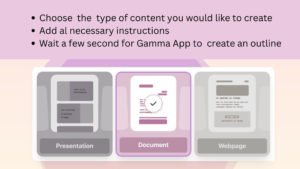
As mentioned earlier, Gamma is an AI tool that makes creating presentations in under 1 minute incredibly easy. This tool allows you to generate various types of presentations without any coding. You can also design them in numerous templates. Gamma provides features such as adding GIFs, videos, websites, charts, and more to your presentations. Additionally, it offers advanced features like reactions, comments, and tools for free. One of Gamma’s most popular features is the ability to create presentations quickly, transforming heavy and dull presentations into easy and fresh ones. (Create Presentation in 1 Minute).
We hope you enjoyed this article. If you’ve reached the end, please like, share, and comment on this article. Don’t forget to let your friends know about it too!
Also Read: Discover the Top 5 Best YouTube Video Editing Application! Unleash Your Creativity Now!
Also Read: Unleash Savings at Flipkart Republic Day Sale for Samsung Galaxy F04 in India 2024!
How to use Gamma app for Create Presentation in 1 Minute
FAQs
Can I use AI to make a presentation?
Yes, AI can be your presentation pal! Several tools automate slide creation, suggest content, and even design visuals.
Which AI can generate PPT?
SlideAI, Sendsteps, and Simplified are just a few AI tools capable of generating PPTs.
Is there an AI that can make a slideshow?
Absolutely! AI slideshow makers like Slidesgo and Microsoft Copilot turn your text into mesmerizing presentations.
Can ChatGPT make a PowerPoint?
While ChatGPT excels at text, dedicated AI presentation tools offer better PPT crafting. Give SlidesAI a try!